Shopify-Style Checkout & Thank You Page for WooCommerce
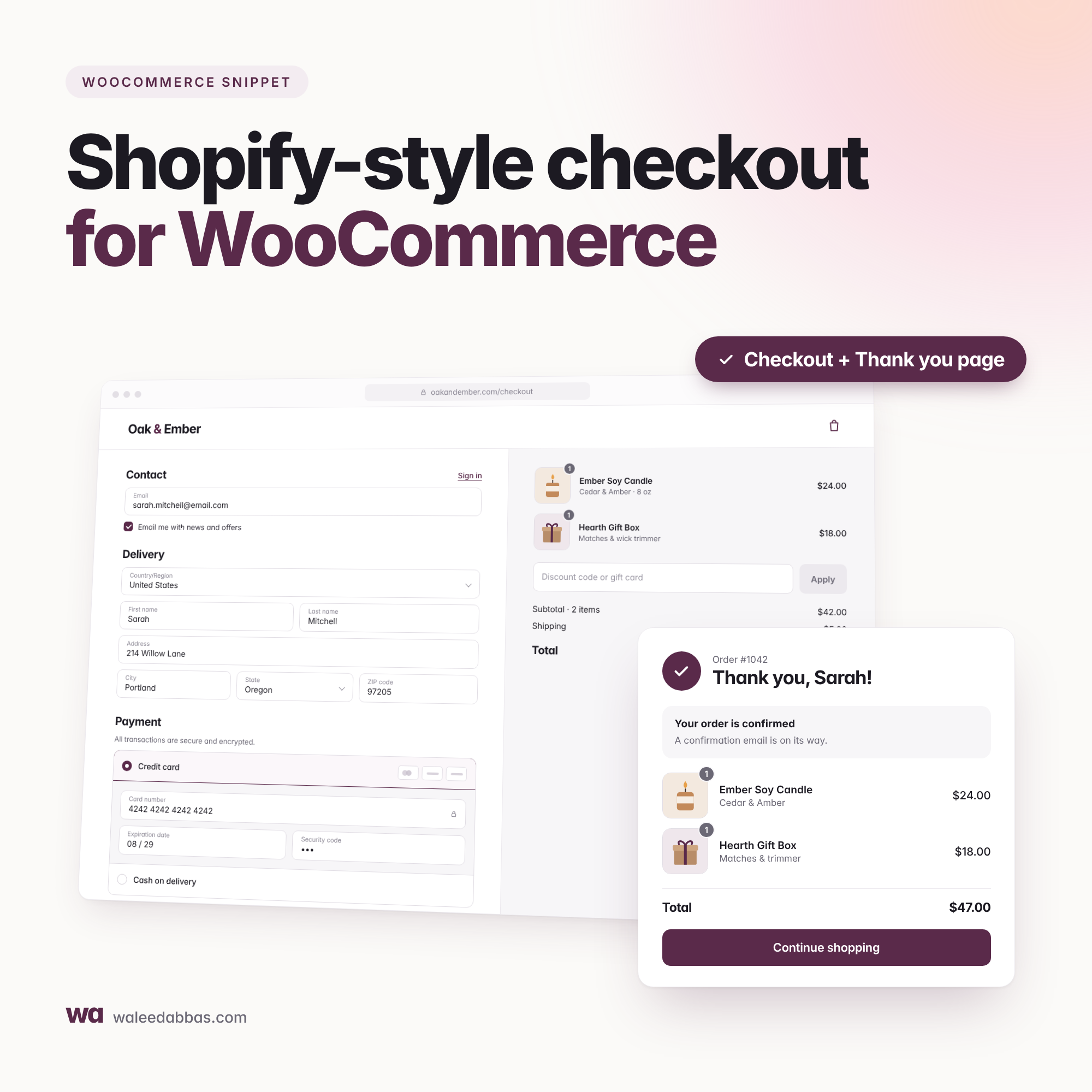
Give your WooCommerce store the clean, trusted checkout shoppers know from Shopify. Two lightweight snippets restyle your checkout and your order confirmation page, with no expensive plugins.
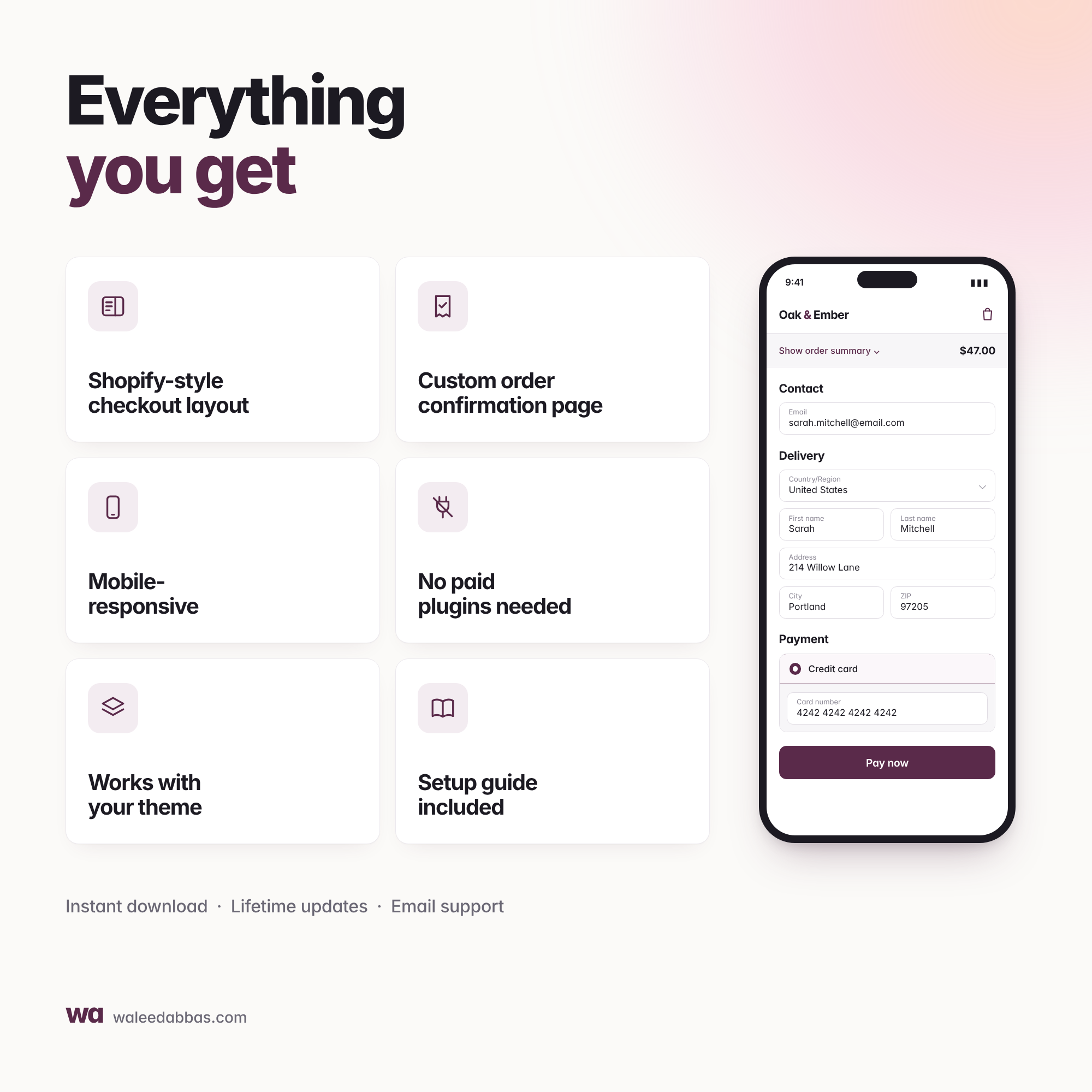
- Shopify-style split checkout with order summary
- Thank-you page with map, order details and summary
- Copy, paste, activate. No coding needed
$39 Original price was: $39.$19Current price is: $19.
- Instant download after purchase
- Lifetime updates for this item
- Support from me by email
About this item
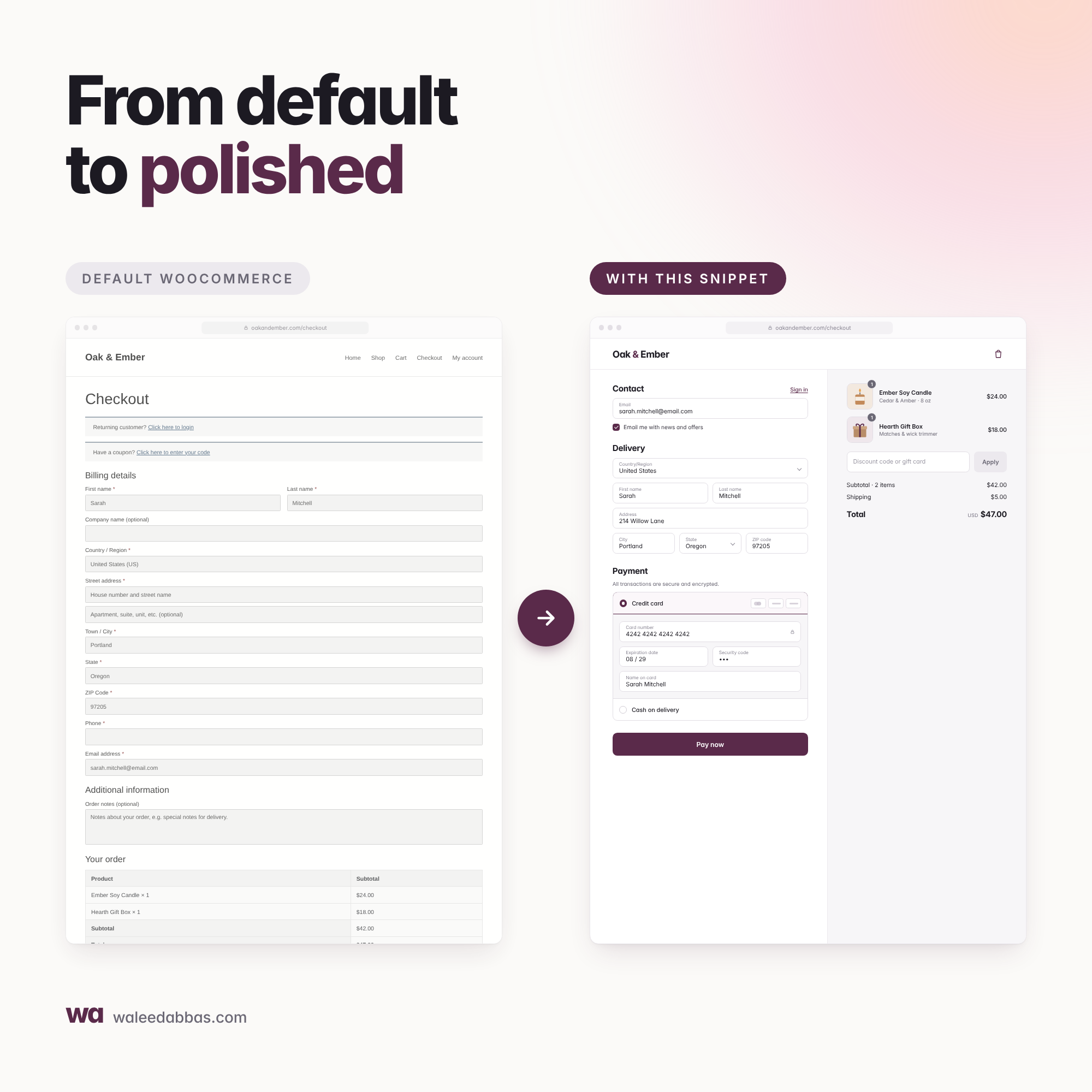
Most store owners love Shopify’s checkout: clean, calm and easy to trust. WooCommerce’s default checkout doesn’t look like that, and the plugins that try to fix it are often expensive and heavy. These two snippets give your WordPress store the same feel, using the checkout you already have.
What’s included
- Snippet 1: Shopify-style checkout, for the WooCommerce Checkout block
- Snippet 2: Shopify-style order confirmation, the “Thank you” page after payment
- Simple install instructions
Checkout: what changes
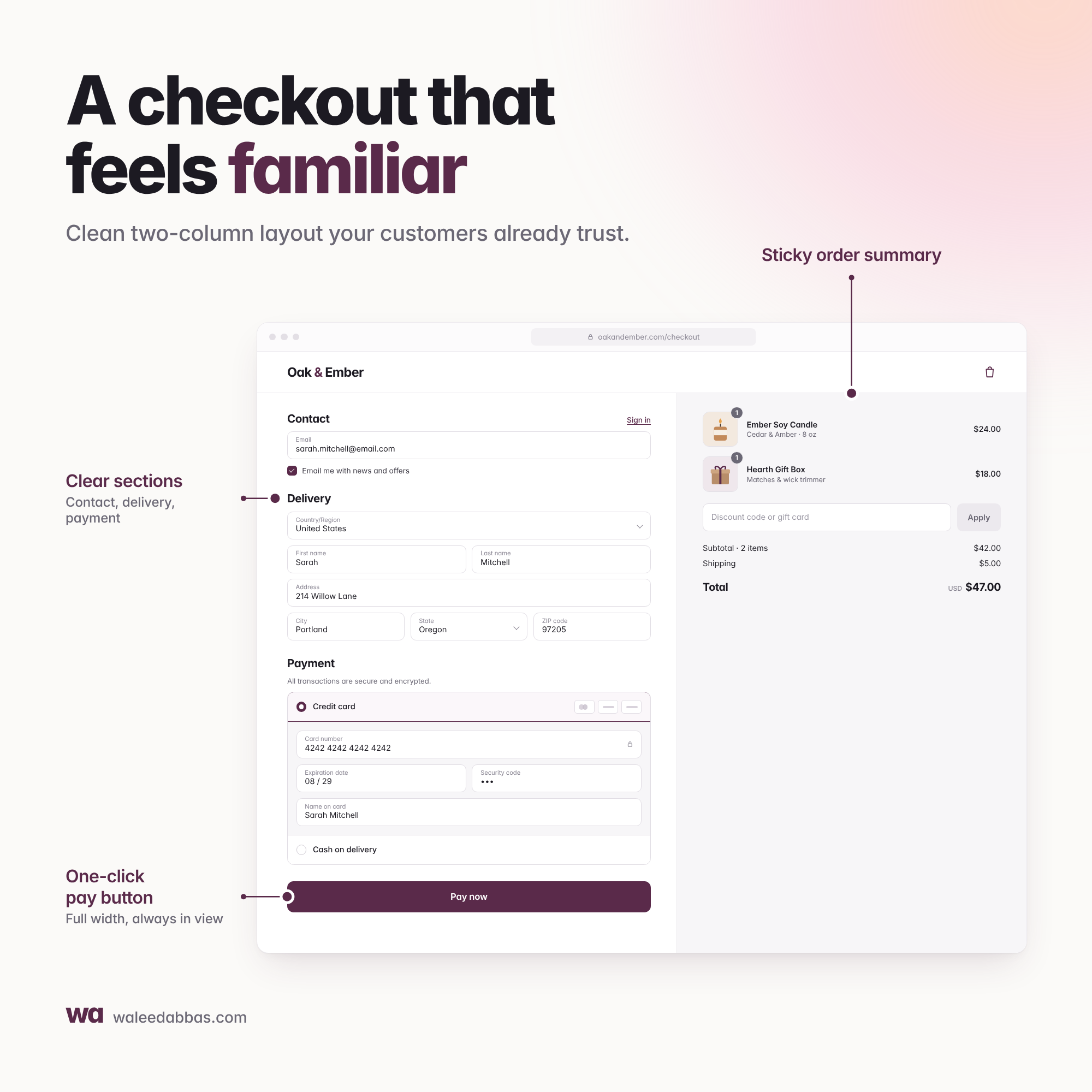
- Full-width split layout: the form on the left, a grey order summary on the right that stays in view as you scroll
- Shopify wording: Contact, Delivery, Shipping method, Payment and a big “Pay now” button
- Clean inputs with a clear focus ring, plus tidy checkboxes and highlighted shipping and payment options
- Product thumbnails with quantity badges, and a bold total
- Discount code box that’s always open, with an Apply button
- On phones, the order summary moves to the top
- The big “Checkout” page title is hidden, just like Shopify
Thank you page: what changes
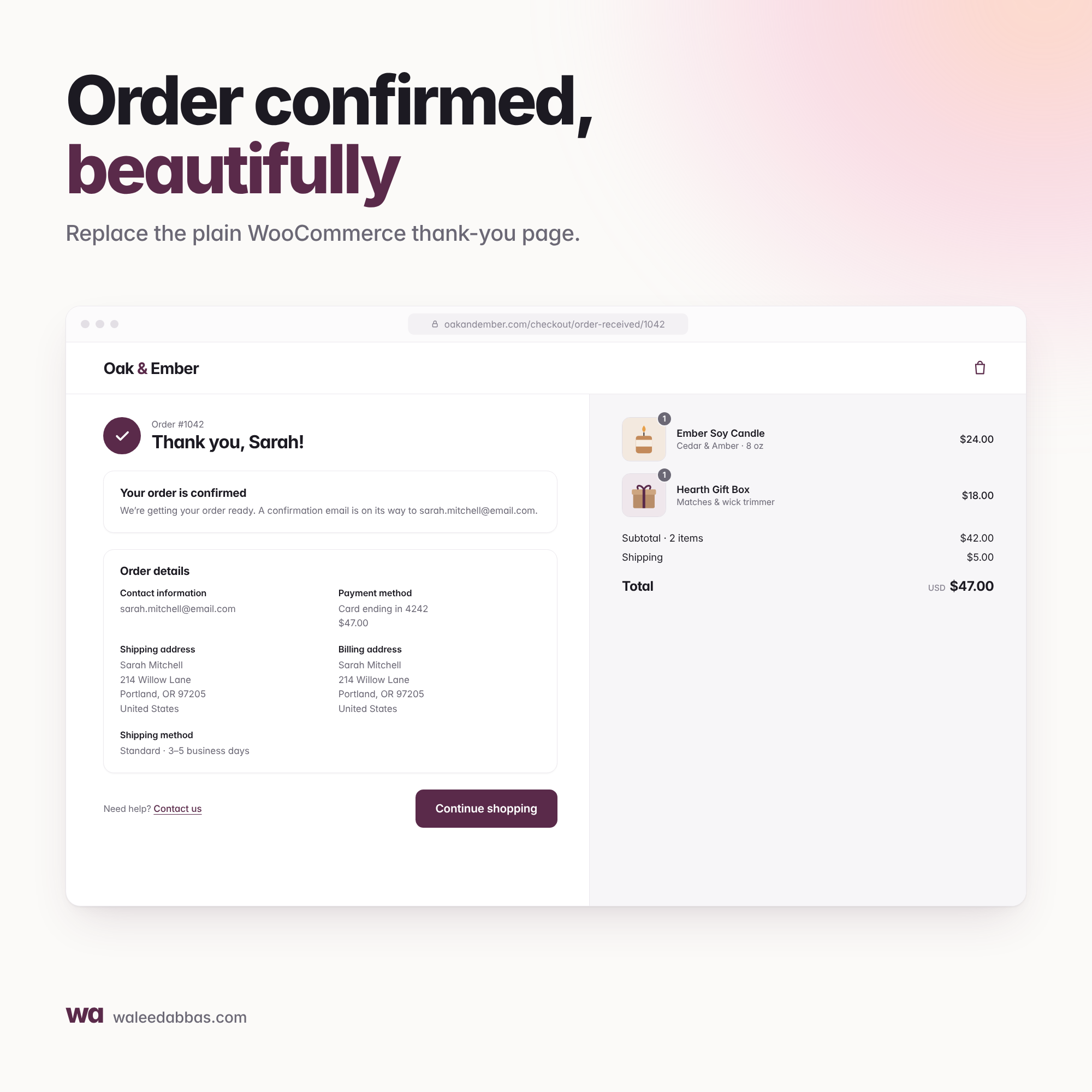
- A check icon, “Confirmation #1234” and “Thank you, [Name]!”
- A map of the delivery address with “Your order is confirmed” (free Google Maps embed, no API key needed)
- Order details: contact, payment method, shipping and billing address, shipping method
- Order summary with product images, quantity badges and totals
- “Need help? Contact us” and a “Continue shopping” button
- Keeps payment instructions (like bank transfer details) and tracking scripts from your payment gateway and plugins
- On phones, a collapsible “Show order summary” bar on top
- Failed payments still show WooCommerce’s normal screen
Make it yours
Change one colour value to match your brand. It uses Shopify blue by default.
How to install
- Install a free snippets plugin, such as Code Snippets or WPCode.
- Add a new PHP snippet and paste the checkout code. Set it to run everywhere, then save and activate.
- Repeat for the thank-you page code.
- Place a test order to see both pages.
Want it installed for you?
Tick Add setup by Waleed above the Add to cart button and I’ll add both snippets to your site and match the colours to your brand.
Requirements
WordPress with WooCommerce.
The checkout snippet styles the WooCommerce Checkout block, the default checkout in current WooCommerce.
A free snippets plugin, such as Code Snippets or WPCode.
Compatibility
Works with any theme, including Elementor sites.
The thank-you page works with both the Checkout block and the classic checkout.
Licence
Use on one website, for personal or commercial projects.
No resale or redistribution. Each client or project needs its own licence.
Digital download, so all sales are final.
Related products
-
Sale!
WooCommerce Live View: Real-Time Store Activity Dashboard
$59Original price was: $59.$29Current price is: $29. Add to cart -
Sale!

Luxury Hair Extension Store Theme
$40Original price was: $40.$20Current price is: $20. Add to cart -
Sale!

Pink Coach Multi-Page Theme
$40Original price was: $40.$20Current price is: $20. Add to cart